Targets are explicit entries in an open-source registry. Dusty does not crawl your home folder looking for things that seem removable.
Two free, open-source Mac utilities
Dusty vs Pearcleaner: different jobs, both worth having.
This is not a knockout comparison. Pearcleaner uninstalls apps and sweeps up their leftovers. Dusty reclaims disk space from caches, developer junk, and old installers. If your Mac is full, you probably want Dusty first; if it is cluttered with apps you no longer use, Pearcleaner.
Both free and open source
No telemetry in either
They cover different junk
Short answer
Out of disk space? Dusty. Too many old apps? Pearcleaner.
Pearcleaner answers "remove this app and everything it left behind." Dusty answers "where did my disk go, and what can I safely get back?" The overlap is small: Dusty will not uninstall apps, and an uninstaller will not reclaim your 30 GB of Xcode DerivedData and package-manager caches.
$0both tools
2different jobs
MITDusty's license
Comparison
Side by side, honestly.
Both projects are open source and respect your machine. The real question is which kind of disk clutter you are fighting today.
| Decision point | Dusty | Pearcleaner |
|---|---|---|
| Built for | Reclaiming disk space from caches, developer artifacts, and junk that regrows. | Uninstalling apps and finding the files they leave behind. |
| Price and license | Free. MIT licensed, open source. | Free. Open source. |
| Deletion model | Allowlist-only: if a path is not an explicit cleanup target, Dusty refuses it. | Searches for files related to the app you are removing, then lets you review the list. |
| Preview before deleting | Yes. Every path and its size, plus a dry-run mode. | Yes. Shows found leftovers before removal. |
| Undo | Yes. Cleans pass through the Trash with an undo window, and every deletion is logged locally. | Removed files can go to the Trash for manual recovery. |
| Developer junk (DerivedData, simulators, npm/pip/cargo caches) | Covered. This is usually the biggest win on a developer Mac. | Out of scope. Not an uninstaller's job. |
| App leftovers after uninstalling | Out of scope. Dusty does not track app ownership of files. | Covered. This is the whole point of Pearcleaner. |
| Lives in | The menu bar, with free-space monitoring and an optional background scan. | A regular app window you open when uninstalling. |
Safety model
Why Dusty is strict about what it can touch.
An uninstaller has to search broadly to find leftovers. A disk cleaner does not, so Dusty refuses the search entirely: a fixed allowlist, validated paths, and local logs.
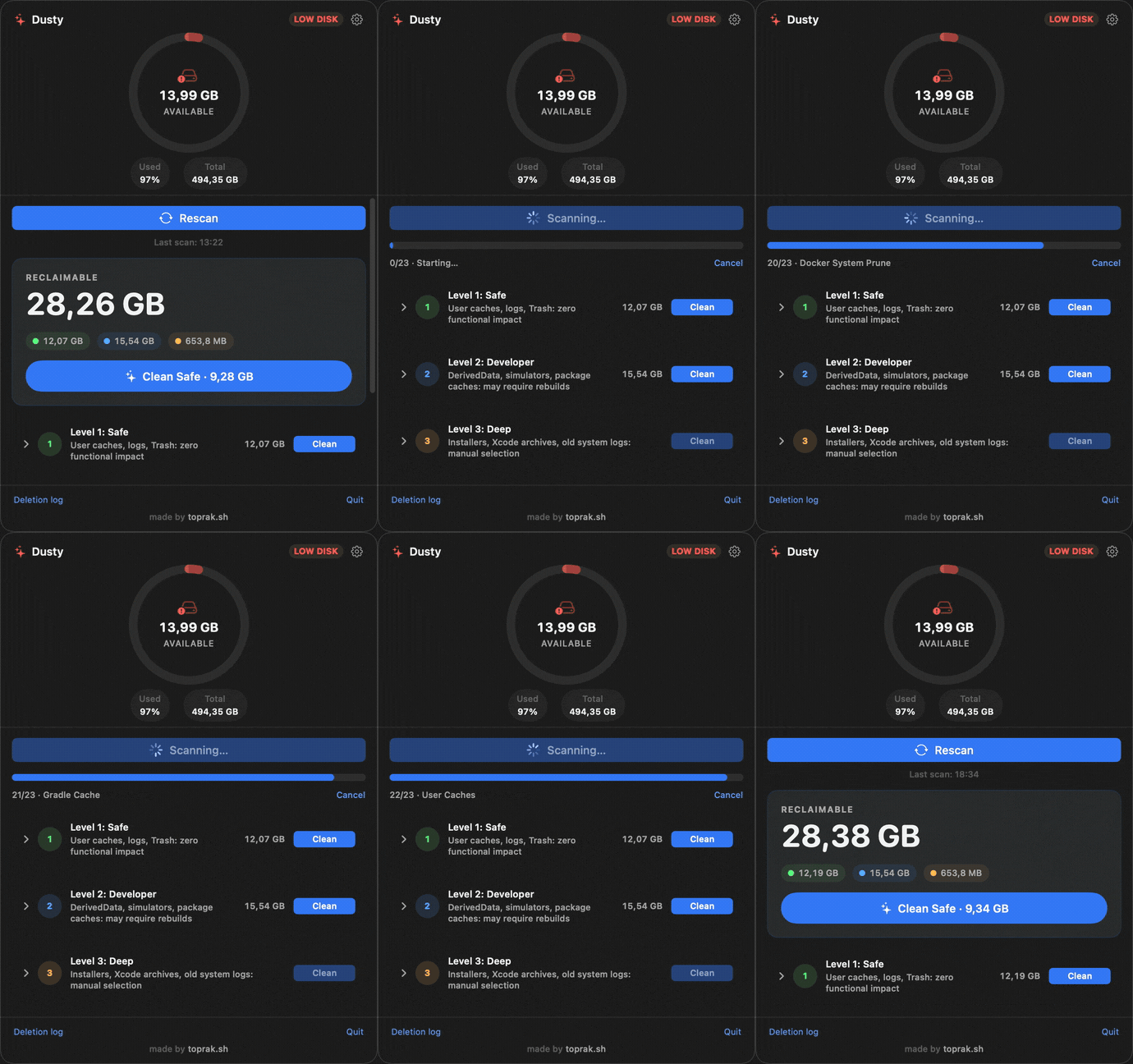
Every scan shows exact paths and sizes first. Every clean parks items in the Trash with an undo window before anything is purged.
Dusty never asks for sudo and rejects protected folders like Documents, Photos, and Mail even as path prefixes.
validator.canDelete(path)
  -> must descend from an explicit cleanup target
  -> must not be inside protected folders
  -> must pass symlink and prefix checks
  -> then Dusty can move it to Trash or delete it

Result: the cleanup engine is narrow, testable, and reviewable.
FAQ
Honest answers, including "use the other tool."
Is Dusty a Pearcleaner alternative?
Not exactly. Pearcleaner is an app uninstaller; Dusty is a disk cleaner. If you want to remove an app and its leftovers, Pearcleaner is the right tool. If you want your disk space back from caches and developer junk, that is Dusty's job. Many people run both.
Which should I install first if my disk is full?
Dusty. Caches, Xcode data, and package-manager junk are usually the biggest reclaimable chunk, and a scan shows the exact bytes per path before you delete anything. Old unused apps are usually a smaller win, but Pearcleaner handles those properly when you get to them.
Can Dusty uninstall applications?
No, and it will not try. Dusty deletes only from a fixed allowlist of cache and junk paths. App removal needs leftover-tracking that belongs in an uninstaller.
Do they conflict if I run both?
No. They touch different parts of the disk. Dusty's allowlist covers caches and junk; Pearcleaner works on app bundles and their support files when you choose to uninstall.
Where can I audit Dusty's code?
The app, cleanup engine, and every deletion rule live in the public GitHub repository. The deeper safety breakdown is at toprak.sh/dusty/safety/.
Try it
Get your disk space back first.
Install Dusty, run a scan, and see exactly how many gigabytes are hiding in caches before you delete a single file.