Targets are explicit entries in an open registry. Dusty does not crawl your system looking for things that seem removable.
Free open-source macOS disk cleanup
Dusty vs OnyX: a narrow cleaner against a maintenance multi-tool.
OnyX has earned its reputation over two decades. It is also a power tool: maintenance scripts, hidden settings, rebuild utilities, and an admin password at the door. Dusty takes the opposite bet for disk cleanup: one job, an open allowlist, a preview of every path, and no root, ever.
Free and MIT licensed
No sudo, no admin password
Preview every path first
Short answer
Want disk space back, safely? Dusty. Want to tune macOS itself? OnyX.
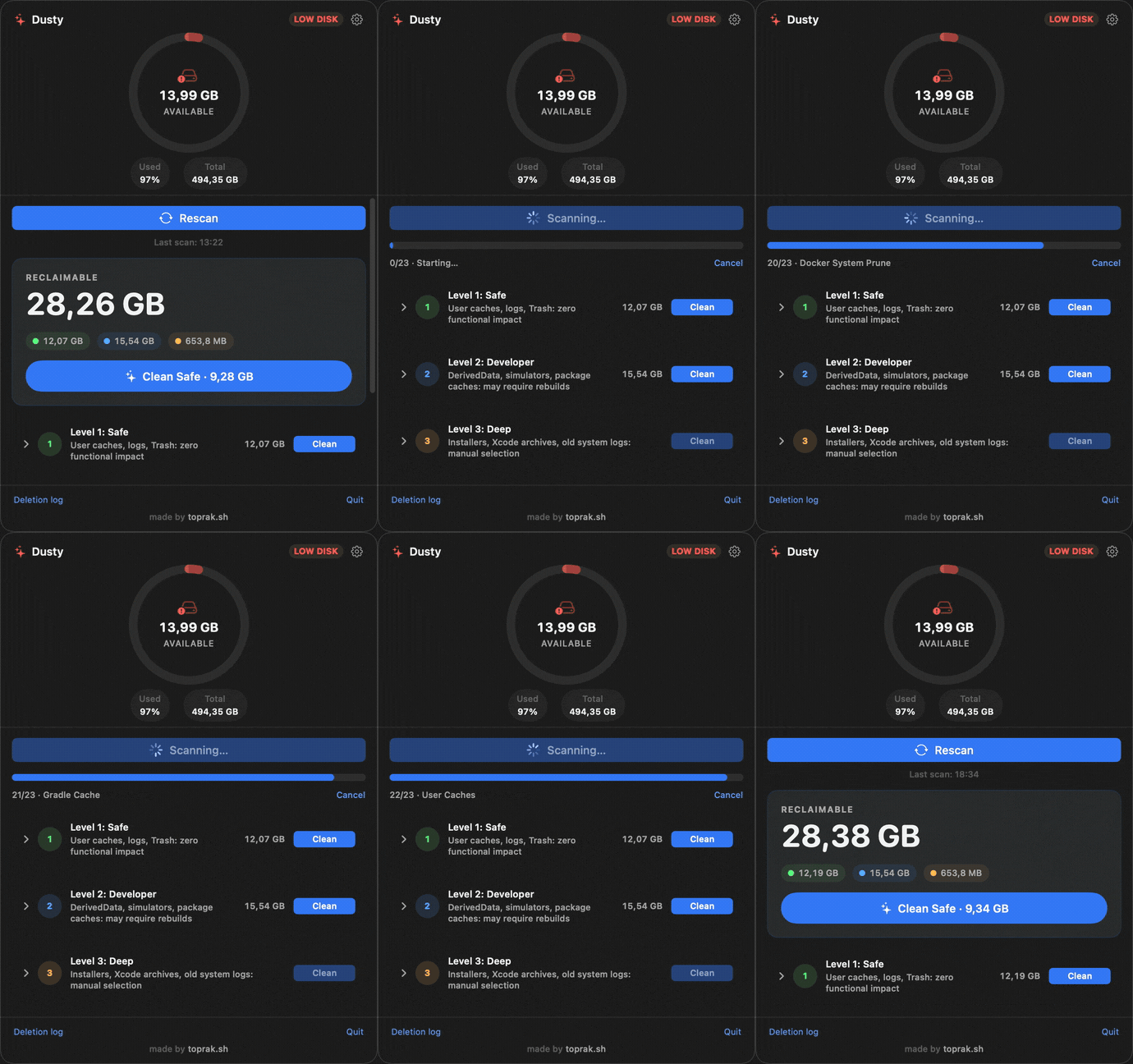
OnyX bundles cleanup with system maintenance: rebuild databases, run periodic scripts, flip hidden settings. If that toolbox is why you open it, keep it. If you only open it to clear caches, Dusty does that one job with open-source rules, per-path preview, undo, and no admin password.
$0price
0sudo prompts
MITlicense, full source
Comparison
The trade is power for inspectability.
OnyX can do far more to your system. Dusty can prove far more about what it will and will not touch. Which trade is right depends on which question keeps you up at night.
| Decision point | Dusty | OnyX |
|---|---|---|
| Price | Free. MIT licensed. | Free. Donation supported. |
| Source transparency | Open source. Every deletion rule is public and unit tested. | Closed source. Trusted by reputation, not auditable directly. |
| Privileges | No root, ever. User-level paths only; one diagnostic log folder needs Full Disk Access. | Asks for the admin password; many functions run privileged. |
| Scope | Disk cleanup only, from a fixed allowlist of targets. | Cleanup plus maintenance scripts, rebuilds, and hidden-settings panels. |
| Preview before deleting | Yes. Every path with its size, plus a dry-run mode. | Category-level choices; per-path preview is limited. |
| Undo | Yes. Cleans pass through the Trash with an undo window, and every deletion is logged locally. | No. Cleanups are immediate. |
| macOS version coverage | One app for macOS 13 and later, updated continuously. | A separate OnyX build per macOS version; new macOS releases wait for a matching build. |
| Lives in | The menu bar, with free-space monitoring and optional background scans. | A utility app you open for maintenance sessions. |
Safety model
Narrow on purpose.
OnyX's power comes from running privileged operations across the system. Dusty's safety comes from refusing to: fixed rules, explicit validation, visible paths, local logs, no root.
Every scan shows exact paths and sizes first. Every clean parks items in the Trash with an undo window before anything is purged.
No sudo, no privileged helper. Protected folders like Documents, Photos, and Mail are rejected even as path prefixes.
validator.canDelete(path)
  -> must descend from an explicit cleanup target
  -> must not be inside protected folders
  -> must pass symlink and prefix checks
  -> then Dusty can move it to Trash or delete it

Result: the cleanup engine is narrow, testable, and reviewable.
FAQ
Honest answers before you switch anything.
Is Dusty an OnyX alternative?
For the cleanup part, yes: caches, logs, developer junk, old installers, and Time Machine local snapshots, each previewed before deletion. For maintenance scripts, rebuilds, and hidden settings, no. Dusty deliberately does not do privileged system maintenance.
Does Dusty need my admin password?
No. Dusty never runs as root and never asks for sudo. macOS may ask you to grant Full Disk Access for one age-filtered diagnostic log folder in the Deep level; everything else works without it.
Is OnyX safe?
OnyX has a long, solid reputation and this page is not here to scare you off it. The honest difference is auditability: OnyX asks you to trust its reputation, while Dusty's every deletion rule is public, unit tested, and small enough to read in an afternoon.
Do I have to wait for a new Dusty after each macOS release?
No. OnyX ships a separate build per macOS version; Dusty is one app for macOS 13 and later, and the allowlist model does not depend on macOS internals that shift between releases.
Where can I audit the code?
The app, cleanup engine, and rules live in the public GitHub repository. The deeper safety breakdown is at toprak.sh/dusty/safety/.
Try it
Clean your Mac with rules you can read.
Install Dusty, run a scan, and inspect every path before you remove anything. No admin password required.